PREREQUISıTES
- You should be able to modify your DNS settings for your domain.
- You should be able to access cPanel for your domain on GoDaddy.
INSTALL CERTBOT
Run this command on the command line on the machine to install Certbot.
$ brew install certbot
RUN CERTBOT
Replace “yourdomain.com” with your domain name in the below command.
$ sudo certbot certonly –manual –preferred-challenges=dns –email admin@yourdomain.com -d *.yourdomain.com -d yourdomain.com
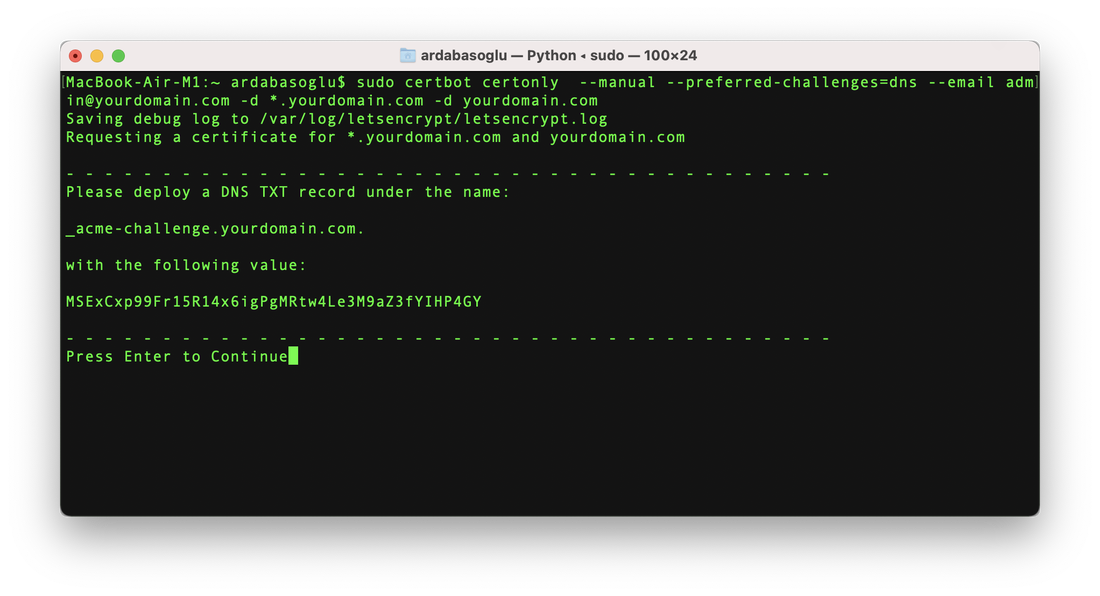
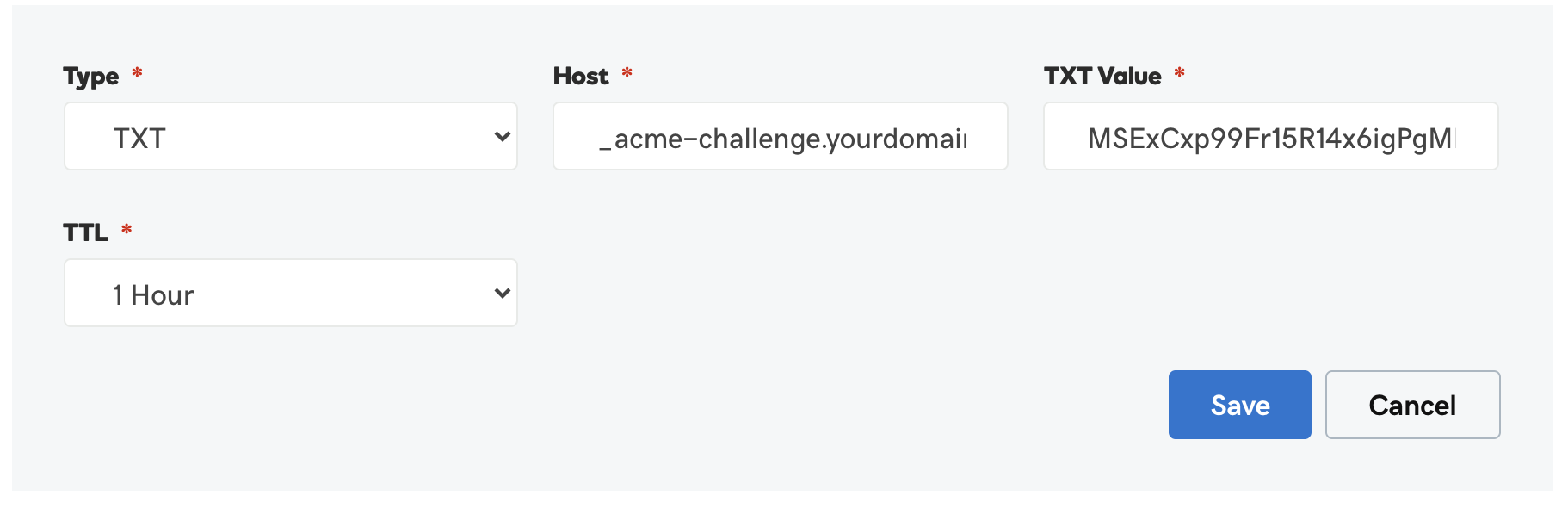
DEPLOY a DNS TXT RECORD on GoDaddy
Go to your DNS settings on GoDaddy and create a TXT record
Before continuing, verify the TXT record has been deployed. Depending on the DNS
provider, this may take some time, from a few seconds to multiple minutes.
provider, this may take some time, from a few seconds to multiple minutes.
You can check if it has finished deploying with aid of online tools, such as the Google
Admin Toolbox: https://toolbox.googleapps.com/apps/dig/#TXT/_acme-challenge.yourdomain.com.
Look for one or more bolded line(s) below the line ‘;ANSWER’. It should show the
value(s) you’ve just added.